

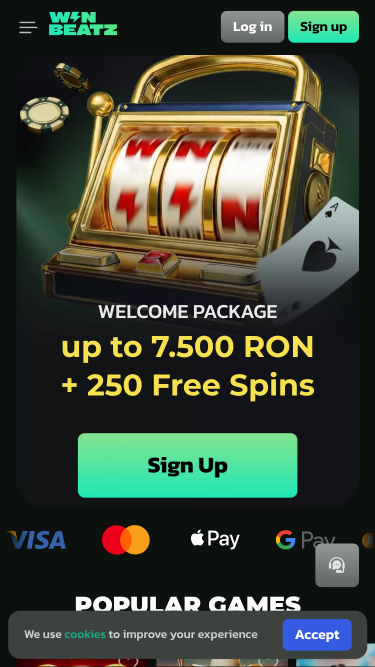
We recognize that securing a trustworthy, secure, and fast way to access your preferred gaming platform on mobile is vital. Installing the Winbeatz Casino application straight from the genuine site ensures you are obtaining the authentic, unaltered software crafted for peak performance. Many players ask why they should steer clear of third-party stores, and the answer is clear: protection and speed. When you use the official Winbeatz Casino site, you bypass the risks linked with altered APK files or outdated versions that exist on untrusted platforms. We have developed our direct download process to be as smooth as possible, granting you instant access to a fully tuned lobby, built-in payment gateways, and special mobile bonuses that are often unavailable through other channels. This guide takes you through the full installation lifecycle, from readying your device to making your first real-money wager on the app. We prioritize transparency, so we have added detailed compatibility requirements and typical troubleshooting tips to guarantee your setup is flawless and hassle-free. By the time you finish reading, you will have the Winbeatz Casino icon sitting proudly on your home screen, prepared to deliver high-definition live dealer streams and quick slot spins no matter where you are. We are proud in offering a platform that combines cutting-edge encryption with lightweight software architecture, meaning you do not have to give up storage space for quality. Let us begin on securing your mobile gaming future with the tap of a button.
Why Pick the Official Winbeatz Casino Mobile Application
We created the native Winbeatz Casino application to outperform any mobile browser experience you have experienced before. The dedicated software leverages your device’s hardware acceleration to render graphics smoothly, minimizing lag during live dealer sessions and ensuring that quick-spin slot mechanics respond exactly when you tap. When you opt to the official download path, we can assure that every line of code has been checked for fairness and security by independent regulatory bodies. We also deliver exclusive push notifications through the app that alert you to time-sensitive promotions, such as reload bonuses, cashback weekends, and tournament leaderboards, which you might miss if you depend solely on email. in this guide Beyond performance, the app’s user interface has been comfortably mapped for one-handed play, setting the cashier, game lobby, and support button within a natural thumb arc. We regularly update the app to resolve vulnerabilities the moment they are found, a level of maintenance that browser-based caching cannot equal. Furthermore, the installation package includes advanced responsible gaming tools that function natively, letting you to set deposit limits or reality checks without navigating through multiple web pages. We firmly are convinced that your mobile casino should appear like a premium entertainment suite, not a compressed website, and the official app achieves that vision by delivering crisp audio, zero buffering, and instant biometric login capabilities.
Complete APK Installation Guide for Android Device Owners
We designed the Android APK installation process to be fully clear, giving you control over permissions while keeping the integrity of the software package. Start by opening Chrome, or your favorite mobile browser, and entering the precise official Winbeatz Casino URL directly into the address bar to avoid phishing clones. Once the landing page renders, locate the unmistakable “Download for Android” button, which is typically shown by the Android robot mascot, and start the APK download. Android’s built-in security mechanism will likely show a warning that this type of file can harm your device; this is a generic alert triggered by any installation source outside the Play Store. We encourage you to press “OK” or “Download Anyway,” as our APK is digitally signed and regularly checked against malware. When the download ends, pull down your notification shade and tap on the winbeatz.apk file directly. If your device stops the installer, you must temporarily allow your browser permission to install unknown apps by toggling the relevant toggle in your Security or Special App Access settings. The package installer will then display the app permissions we request, which are limited strictly to functionality like network access for games and vibration for haptic feedback on wins. Tap “Install,” wait for the process to finish, and then press “Open” to launch directly into the vibrant lobby.
Hardware Compatibility and Platform Requirements
We have tailored the Winbeatz Casino app to operate smoothly on a wide variety of current smartphones and tablets, ensuring that Apple users nor Android fans are excluded. For Apple users, we recommend an OS of iOS 14.0 or later, which encompasses devices from the iPhone 7 series forward, including all modern iPad generations. The app is completely compatible with Apple’s Metal graphics API, meaning visually rich titles like 3D slots and live roulette streams render at steady frame rates without overworking the hardware. On the Android side, we support operating systems from version 8.0 (Oreo) and above, which encompasses the overwhelming majority of in-use devices around the world. We generally recommend a baseline of 2GB of RAM for seamless multitasking, although 3GB or more delivers a significantly smoother experience when transitioning between demanding gaming apps and background music players. The app footprint is remarkably compact, taking up approximately 95MB of free storage, a careful engineering choice we implemented to accommodate users who opt not to erase their photos and videos. A stable 4G connection is enough for normal play, but we advise a Wi-Fi connection or a powerful 5G signal for uninterrupted high-definition live dealer feeds. No matter your hardware brand, we maintain strict coding standards that prevent excessive battery drain, employing adaptive frame rate technology that adjusts graphical intensity to your particular chipset capabilities.
Fixing Common Download and Installation Problems
We have faced virtually every installation snag during our support time, and we have collected the most frequent cases so you can fix yourself in seconds. If the download button on the official site appears non-functional, it is almost always a browser caching conflict; clearing your Safari or Chrome cache and doing a hard refresh usually reactivates the dynamic script that serves the file. For iOS users who see an “Untrusted Developer” message after a successful setup, remember that trusting the profile in Settings is a mandatory step that we detail in the setup guide; skipping it causes the app crashing on launch. Android users occasionally experience a “Parse Error” when tapping the APK, which almost always suggests that the file was corrupted during an unstable download; erasing the broken APK and re-downloading while connected to a steady Wi-Fi network rectifies this instantly. If you are plagued by an “App Not Installed” error on Android, check that you do not have a residual version from a previous installation hidden in a secure folder or work profile, as conflicting signatures block the update. Storage space can be deceptive; an iPhone might show sufficient capacity but hold it for system data, so deleting unused apps in the iPhone Storage menu creates the necessary breathing room. For persistent connectivity problems upon launch, toggling Airplane Mode on and off initiates a fresh network handshake that often solves IP-related blocks.
- Wipe your browser cache completely if the official download button freezes or does not to initiate the transfer.
- Remove any corrupted or partial APK files before beginning the download over a stable broadband connection.
- Eliminate outdated app versions and turn off secure folders to avoid certificate conflicts on Android devices.
- Trigger Airplane Mode briefly to reinitialize your network stack if the lobby stalls at a loading screen.
- Clear unused media or apps temporarily to create the small storage cushion the operating system requires.
Step-by-Step Setup Instructions for iOS Devices
We have streamlined the iOS installation journey into a smooth sequence that requires less than two minutes from start to finish. Begin by opening Safari, which is the native browser we endorse for this process, and navigate to the official Winbeatz Casino domain. Once the homepage appears, you will spot a dedicated “Mobile App” banner or a smartphone icon in the navigation menu; tap on that element to access our dedicated download hub. You will see a prominent button labeled “Download for iOS” or displaying the Apple logo; we craft this button to contrast sharply with the background so there is zero confusion. Pressing the button will prompt a system dialog box requesting you to confirm the installation; simply choose “Install” when the prompt shows up. At this point, you can close Safari and watch the Winbeatz icon materialize on your springboard with a progress circle indicating the download status. Once the installation completes, iOS prevents unverified enterprise apps by default as a protective measure, so we must to trust the developer profile manually. Start the Settings application, navigate to “General,” move down to “VPN & Device Management” or “Profiles,” and locate the enterprise certificate linked with Winbeatz Casino. Press on it and press “Trust,” verifying your choice in the final pop-up. You can now head to the home screen, tap the freshly activated icon, and authenticate with your existing username and password or register a new account in seconds.
- Launch Safari and visit the official Winbeatz Casino website to identify the mobile application section.
- Click the iOS download button and confirm the installation alert displayed by the operating system.
- Watch the home screen for the app icon to completely materialize before advancing to the next step.
- Navigate to Settings > General > VPN & Device Management to discover and approve the developer profile.
- Head to the home screen, launch the app, and turn on Face ID or Touch ID for quick logins.
Ensuring the App Updated for Peak Performance
We roll out iterative updates on a bi-weekly cadence, and ensuring your Winbeatz Casino app current is the most effective way to prevent bugs and discover new game categories. Unlike apps delivered through major stores, our direct-download model requires you to opt into a lightweight self-updating mechanism that initiates each time the app identifies a new build on our server. Whenever we release an update, typically adding new slot math models, enhanced RNG algorithms, or fresh live dealer table environments, the app will show a non-intrusive prompt inviting you to download the patch. fully covered Because we utilize delta-updating technology, these files rarely go beyond a few megabytes, saving you from re-downloading the entire client. Clicking the update notification initiates an in-app downloader that downloads the patch, checks its checksum for tampering, and quickly executes the rewrite. If you skip the prompt, the app will eventually block certain network-dependent features, such as live streaming tables, until you apply the critical security patches. We advise activating the automatic background refresh permission for the app, which permits it to occasionally check for updates even when not actively in use, ensuring you never miss a time-sensitive tournament lobby. This proactive maintenance loop secures that your graphical performance and payment gateway security remain perfectly aligned with our live server environment.
Navigating Mobile Security Permissions Easily
We recognize that modern mobile operating systems are growing vigilant, and we view these permission prompts not as obstacles but as confirmations of your digital safety. When you first launch the Winbeatz Casino app, anticipate a series of streamlined permission requests that enable us to deliver a premium experience without violating your privacy boundaries. The app will request notification privileges, which we use solely to deliver game reminders and bonus alerts; we strictly forbid the selling of your notification channel data to third parties. You may also see a location prompt, which is essential solely for fraud prevention and regulatory compliance, guaranteeing that we follow jurisdictional boundaries and protect your account from unauthorized access attempts originating from anomalous regions. If you plan to use the live chat support feature, granting microphone and camera access permits real-time communication with our floor managers during VIP events, though these features remain completely optional for standard gameplay. We never request access to your contacts, SMS logs, or health data, and we craft our permission flow to clarify each request in plain language before you decide. Should you initially reject a permission and later change your mind, you can subsequently adjust these settings within your device’s application manager without reloading the software. We handle trust as a currency; every permission you grant us is handled with banking-grade encryption protocols that maintain your sensory data isolated from the gaming core.
Special Mobile Application Perks and Capabilities

We have integrated the Winbeatz Casino mobile application with special features that simply do not appear on the desktop version, rewarding players who adopt portable play. Upon your first successful login via the app, you activate a dedicated mobile welcome package that often includes free spins on selected slots and a deposit match customized specifically for touchscreen users. The lobby is home to an intelligent “Quick Pick” algorithm that analyzes your session history and presents four customized game suggestions the moment you land, eliminating through the noise of hundreds of titles. Our live dealer tables feature a picture-in-picture multitasking mode, enabling you to shift your stream to a corner of the screen while browsing other sports odds or reviewing the cashier balance. The cashier itself incorporates biometric authentication, so depositing or retrieving funds becomes a process of a quick fingerprint scan rather than entering complex passwords. We have also introduced a “Dark Mode” visual profile that preserves OLED screen battery life while reducing eye strain during late-night marathon sessions. Push notifications from the app are segmented into transactional alerts and promotional nudges, providing you precise control to silence marketing messages while still obtaining critical withdrawal confirmations instantly. The performance of our mobile environment enables us to organize app-only tournaments with leaderboards that refresh in real time, fostering a competitive community of players who enjoy the mobility that the app provides.
Controlling Your Bankroll Right Through the App
We built the mobile cashier module as a self-contained financial command center that manages deposits and withdrawals with the identical level of encryption utilized by top-tier digital banks. Clicking the “Cashier” icon displays you with a clear dashboard displaying your real-time balance across your main wallet and any active bonus compartments, specifying exactly which funds are withdrawable. Depositing is optimized to a single-tap process once you save a preferred payment method; we offer major credit cards, e-wallets, and direct bank transfer APIs that connect securely through tokenized gateways. The app stores your transactional preferences, so if you habitually deposit with a specific e-wallet, that option shows automatically, minimizing the cognitive load during a busy gaming session. Withdrawal requests profit from the mobile biometric shield; nobody can begin a cash-out without your fingerprint or facial geometry aligning the enrolled template, efficiently neutralizing the risk of unauthorized pay-outs if your device is briefly unattended. We also present a real-time transaction log that sorts by date, amount, and status, allowing you to balance your gambling expenditure with precision. Responsible gaming controls are embedded directly into the cashier interface, letting you to establish hard stop-losses before a session begins, and the app respects these limits at a kernel level, blocking impulsive overrides. The entire financial pipeline, from purchase to withdrawal confirmation push notification, is designed to be intuitive and incorruptible.
Nejčastější otázky
Is the Winbeatz Casino app free to download from the official web page?
Certainly. We do not impose any cost in any way for obtaining the Winbeatz Casino installation file, whether you use an iOS or Android device. The software is offered as a no-cost entry point to our gaming ecosystem. You only ever need to fund your account if you choose to wager real-money wagers, but the application itself is completely free.
Why is the Winbeatz Casino app not available on the Google Play Store?
We provide our Android APK right through our official site because Google’s storefront policy prohibits real-money gambling applications in many regions. By storing the package on our own, we avoid these local digital distribution hurdles while making sure you receive the complete version without missing features or third-party fees buried in the program.
How can I verify that the APK file I downloaded is authentic and safe?
We cryptographically sign every APK with a cryptographic certificate exclusive to Winbeatz Casino. Your Android phone validates this certificate before finishing the setup. If a hacker has modified the package, the signature breaks and the setup does not proceed. Always check that the file comes directly from our URL to ensure genuineness.
Is the app compatible with my iPad and my iPhone?
Certainly, the application is developed as a universal binary for Apple hardware. It scales dynamically to the original resolution of the iPad’s larger canvas, improving the live dealer grid and slot layouts so they do not merely expand. You can sign into the same account on both your iPhone and iPad seamlessly.
What steps should I take if the installation gets stuck at the verification stage?
If the installation freezes, restart your device first, as a memory leak could be interfering with the installer process. Then access your security settings and ensure you have granted the browser the exact permission to install unknown apps. A fresh download over Wi-Fi usually solves stalled verification windows immediately.
Does the app require a large amount of mobile data while I play?
We have streamlined our netcode to reduce data consumption. Standard slot play requires roughly the same bandwidth as streaming music, while live dealer games stream at adaptive bitrates. We highly recommend activating the data-saver mode inside the app settings if you are on a limited metered connection to further reduce graphical assets.
How do I transfer my desktop balance and loyalty points to the mobile app?
Your balance and loyalty tier are connected to your username, not the device https://winbeatzlive.com/app/. The moment you log into the mobile application using your existing Winbeatz Casino credentials, your real-money balance, bonus funds, and accumulated comp points are displayed instantly across the synchronized server environment without manual transfers.